
Built-in touchscreen
2.4-inch touchscreen
On-screen tabs & guidance
Play phone-free after syncing
 Pearl White
Swipe to explore · 1 / 4 · Front view
A closer look at the controls, the sounds and the ways to play.
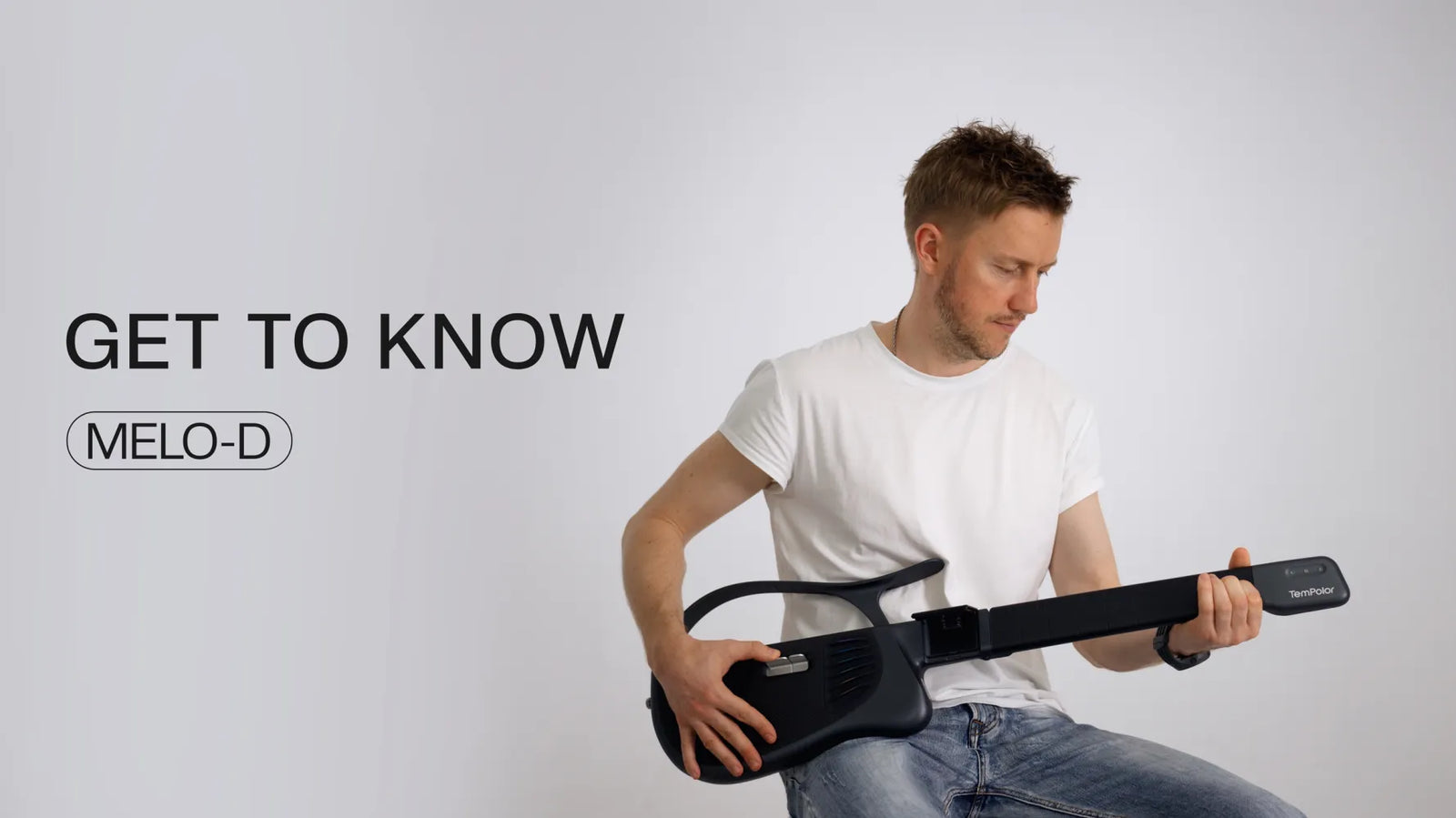
Follow a song, sing with chords, or create a part of your own.

Follow the lights. Get into the song. Build your timing one phrase at a time.

Choose a chord with one hand. Explore melodies and patterns with six note pads in the other.

Find your chords, add a strum and sing along. Keep it simple or make more room to explore.

Hum a melody into the app. Turn it into a solo, sync it to Melo-D and hear it in your hands.

Use AI Tab for a playable solo arrangement, or AI Chord for a lyric-and-chord arrangement from a vocal track. Review the result in the app, then sync it to Melo-D.
LEARN WITH GUITAR TABS
Follow the current note on Melo-D’s screen.
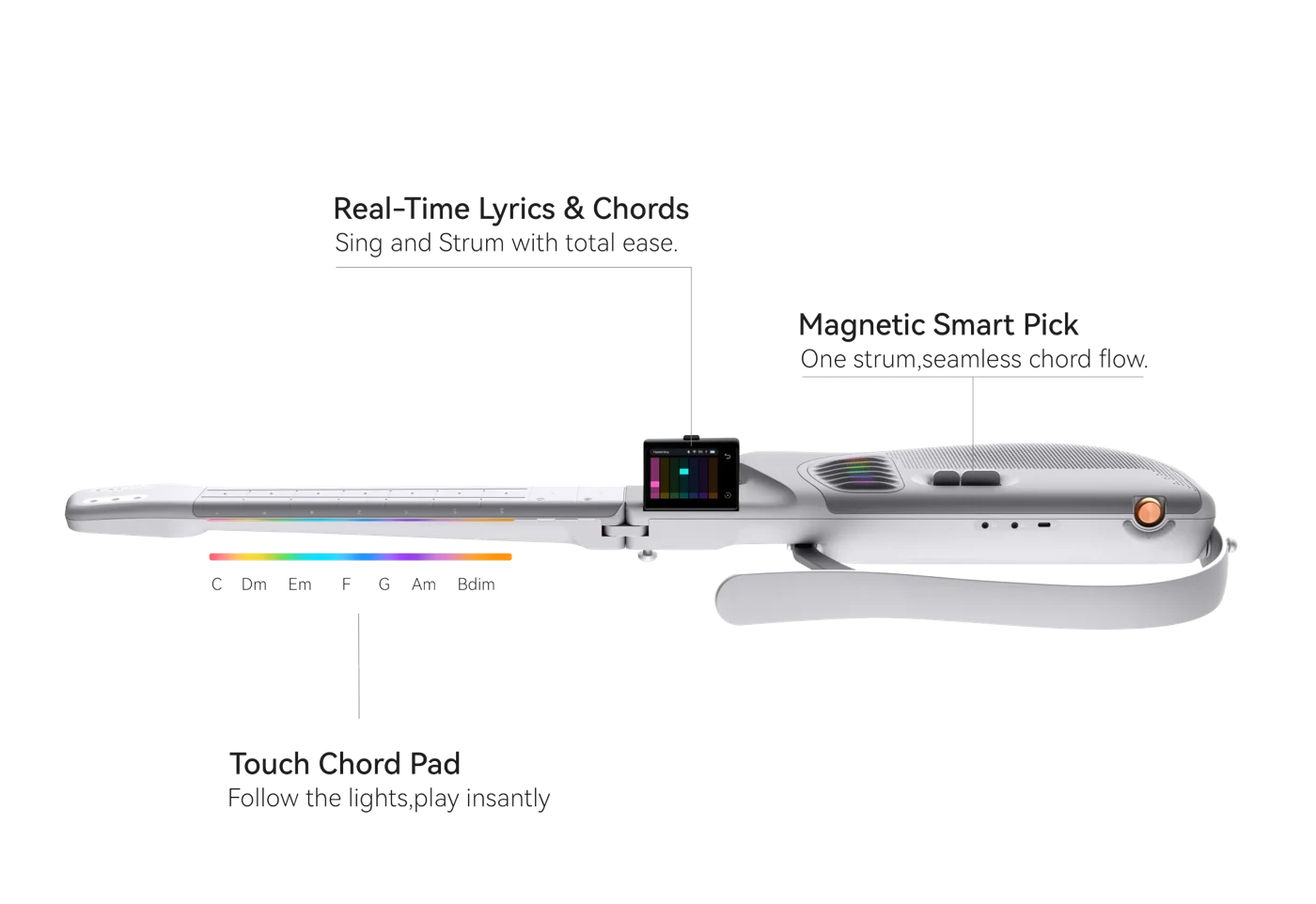
Learn how strings, frets and rhythm fit together, with the current note highlighted on screen.
Swipe through six sounds. Tap an album to listen.
Acoustic1 / 6
Melo-D sound samples. Instrument images illustrate the sounds.
2.4-inch touchscreen
On-screen tabs & guidance
Play phone-free after syncing

Six illuminated note pads
Melodies & fingerstyle patterns
Choose a chord, then play

468.5 mm folded
2.193 kg (4.8 lb)
Gig bag included

Built-in tweeter & woofer
Onboard sound
No external amp needed
Full size when you play. Folded when you’re on your way.


Drag to compare. Slide left for the unfolded view, right for the folded view.
894.5 mm unfolded
Open the neck for playing.468.5 mm folded
Fold the neck and pack it in the included gig bag.2.193 kg / 4.8 lb · Gig bag included · Images show each configuration, not a folding animation.
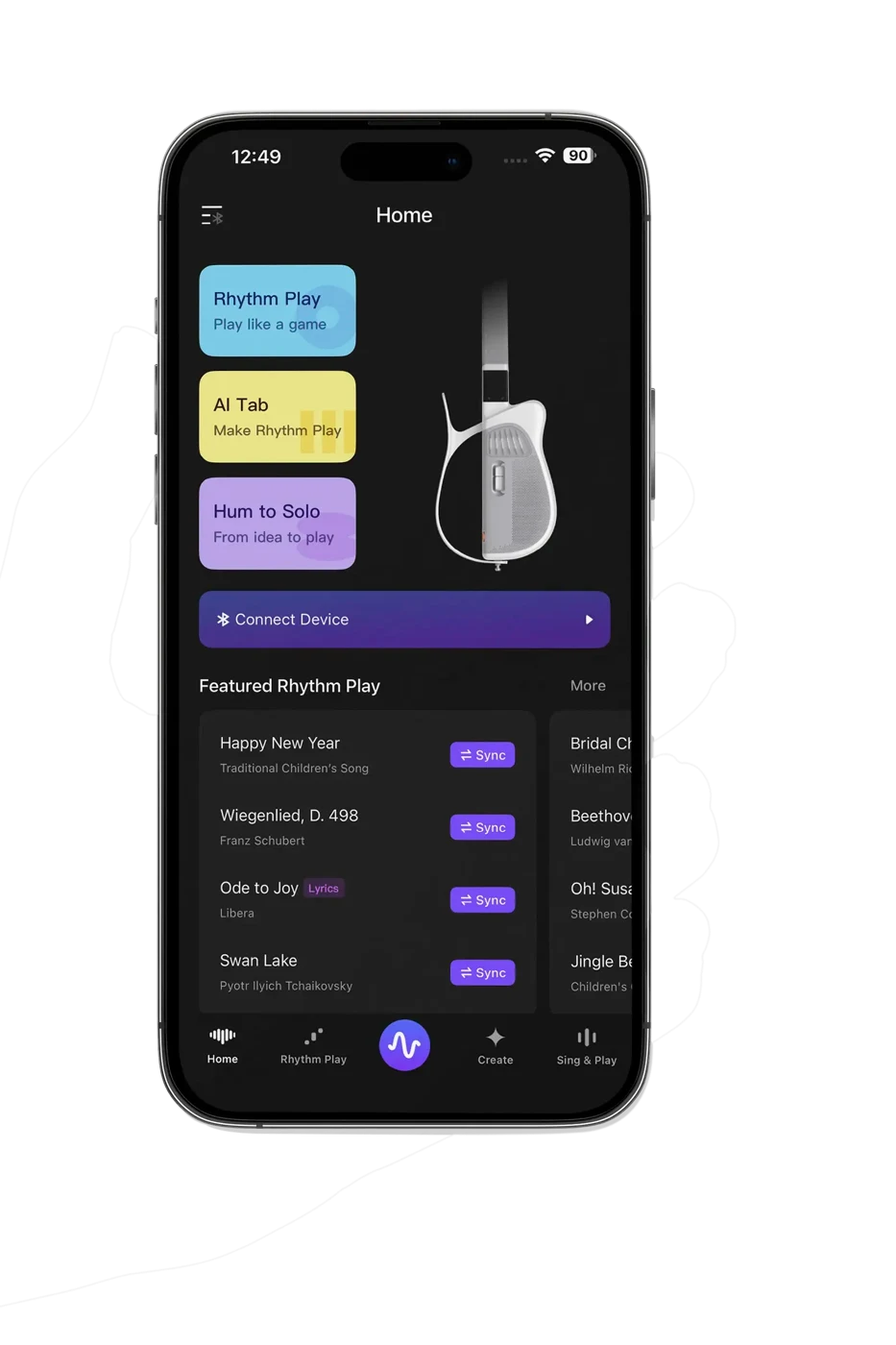
MELO-D GUITAR APP
Hum a melody or import supported audio you own or have permission to use. Review the playable arrangement in the Melo-D Guitar app, then sync it to your guitar.
Explore the appApp-based generation and syncing require an internet connection.For quiet evenings, shared songs
and a moment of your own.



Price, playing technique and honest expectations, explained by TemPolor.
You can start by choosing a chord and making a sound, then practice changing chords and keeping time. Playing a complete song takes familiarization and practice. We do not promise a complete song in 60 seconds or any other fixed time.
Song availability and difficulty depend on the current library. Watch the demonstrations above to see whether the controls suit you.
Compare the actual controls, available chords, single-note playing, app requirements and how songs are added. Also check portability, included accessories, return terms and support.
Melo-D offers 7-key and 21-key chord layouts, six note pads, a built-in speaker and a folding neck. Other instruments use different controls and workflows; compare their current specifications and hands-on demonstrations.
AI Tab generates a playable solo arrangement from supported audio. AI Chord creates a lyric-and-chord arrangement from a vocal track. Generated arrangements can differ from the original recording; results depend on the source audio and the feature.
Use audio you own or have permission to upload. Review the result in the Melo-D Guitar app before syncing. See how AI Tab and Hum-to-Solo work.
Read the original reviews and compare the testing context, software version, and the reviewer's playing goals with your own. These are third-party opinions, not customer testimonials from TemPolor.
• MusicTech: Melo-D hands-on and gear feature
• Notebookcheck: hands-on Melo-D review
For product or order questions, contact TemPolor support. Review returns and warranty terms before ordering.
Pearl White or Obsidian Black
For charging your instrument
Attach to the strap buttons
Pack your Melo-D and go


| Dimensions · folded | 468.5 × 243 × 81 mm |
|---|---|
| Dimensions · unfolded | 894.5 × 274.5 × 81 mm |
| Weight | 2,193 g / 4.8 lb |
| Material · plastic | PC + ABS |
| Material · metal | Stainless steel alloy and aluminum alloy |
| Battery | 5,000 mAh · 7.3 V · 36.5 Wh |
| Charging | USB-C · max. 5 V / 3 A, 15 W · approximately 2.5 hours |
| Battery life · built-in speaker | Around 5 hours; varies with volume and use |
| Battery life · external speaker | Theoretical 10+ hours; actual runtime varies with use |
| Display | 2.4-inch LCD folding touchscreen |
| Controls | Six note pads · 7-key and 21-key chord layouts |
| Speakers | 0.75-inch 10 W tweeter · 3-inch 20 W woofer |
| Maximum amplifier power | 20 W |
| Digital audio | USB-C OTG · mobile recording and audio output |
| Line output | 3.5 mm TRS |
| Microphone input | 3.5 mm TRS wireless microphone input · no phantom power |
| Wi-Fi | Wi-Fi 4 · 2.4 GHz only |
| Bluetooth | Bluetooth LE 5.0 · Bluetooth Audio 5.0 (receive only) |
| App & internet | Required for AI generation and content sync. Synced guided play continues on Melo-D. |
The details to help you get started.
Follow the screen and neck lights to get started. Melo-D is not a traditional six-string guitar, so it does not teach the exact string feel, fretting or picking technique of one.
Explore Rhythm Play, fingerstyle patterns, chord playing and on-screen guitar tabs. AI Tab, AI Chord, Hum-to-Solo and AI Jam add ways to create playable music. Choose a tab in Ways to play for the steps and requirements.
Import supported audio that you own or have permission to process. AI Tab creates a playable arrangement and six-string tab. Results vary with recording quality and song complexity; an exact transcription of every song is not guaranteed. Review the result before syncing.
The Melo-D Guitar app and an internet connection are needed for app-based AI generation and content sync. AI Jam generation also needs a network connection. Once compatible content is synced, guided play continues on Melo-D without keeping your phone open.
Your Melo-D guitar, a USB-C charging cable, an adjustable strap and a gig bag.
Use source audio you own or have permission to process. Melo-D does not grant rights to third-party songs. Check the current service terms before releasing or monetizing music.
Shipping timing depends on your destination and the shipping option selected at checkout. Check your order email for dispatch and tracking updates.
Email support@tempolorguitar.com with your order number and checkout email before shipment. Ask the team to confirm whether your order can be changed or cancelled and whether any fees apply.
The published policy lists a 15-day return window from delivery for eligible change-of-mind returns. Contact support before returning anything. Product condition and return costs affect eligibility and the refund; review the full policy before ordering.
The published policy lists a one-year limited warranty from delivery for manufacturing defects. Contact support with proof of purchase and your device serial number. Check the policy and confirm repair and shipping costs before sending your guitar.
